
Product Photography on a Budget: Phone, Light, Surface, Shadow
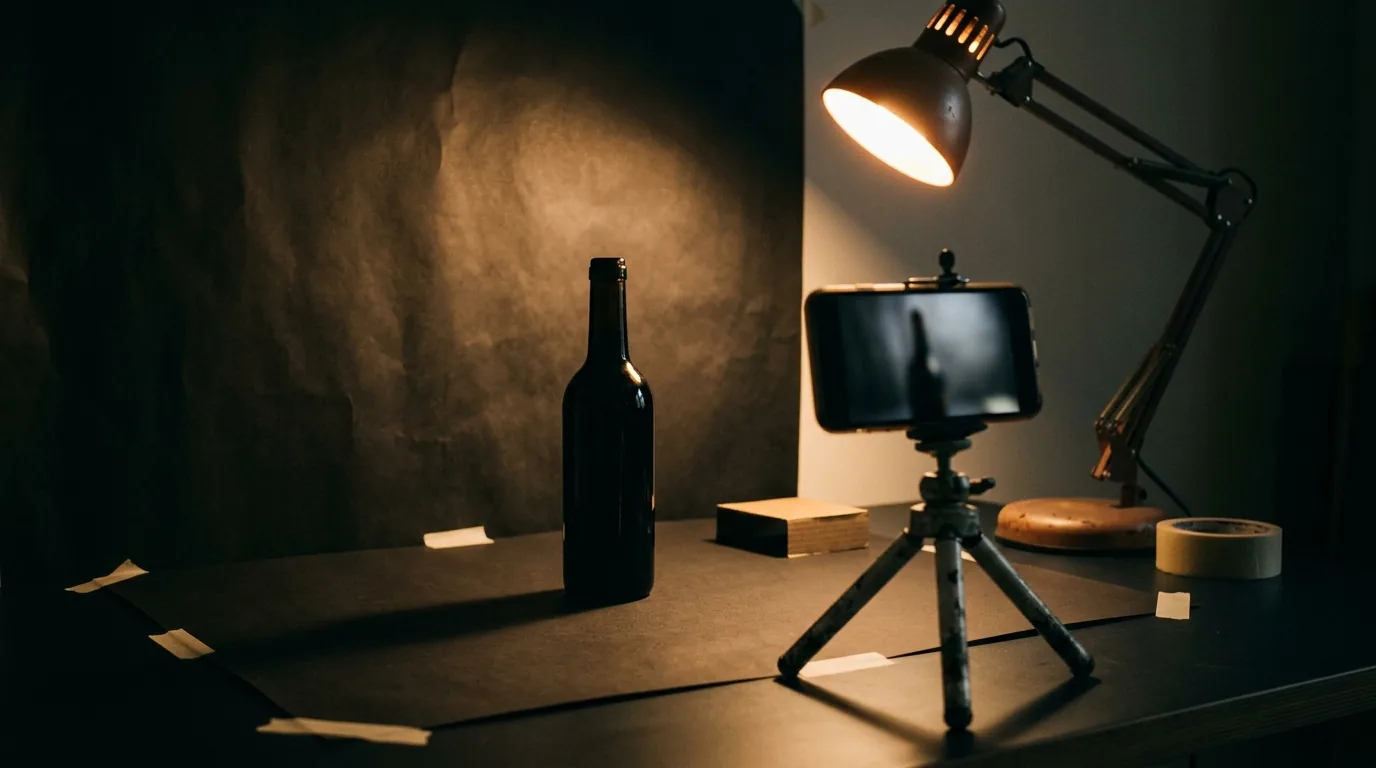
You don't need a studio for store-ready product photos — you need four things: a phone, light, a clean surface, and a good shadow. A modern phone camera is plenty; the limiting factor is almost always lighting and setup, not the gear. One large soft light (a bright window or a diffused lamp), a clean matte surface, and a single gentle directional shadow will make phone photos look professional. Nail those four and shoot consistently across your catalogue. Here's the whole method.
The camera is not the problem
Founders keep blaming their phone for bad photos, but a modern phone camera easily produces professional results — buyers usually can't tell it from studio work. What actually separates good product photos from bad ones is light, background, and setup. Since photos heavily influence whether a product page converts, this is one of the cheapest, highest-impact skills you can build for your store.
Not sure what your brand needs first?
Tell us where you are. We’ll show you the shortest path to more orders — store, ads or brand — with no obligation.
Light: the one that matters most
Fix light first, because almost every bad product photo is really a lighting problem. You want one large, soft light source — a bright window or a simple lamp with a little diffusion — giving soft, directional light that reveals shape and texture without harsh glare. Avoid the phone's flash and mixed, competing lights. Get this right and everything else gets easier.
Surface: let the product stand out
Shoot on a clean, uncluttered surface that suits your brand — a plain matte backdrop or a simple textured surface that doesn't fight the product. The background's only job is to disappear so the product is the hero. Consistency across the catalogue matters as much as the exact choice: a store where every photo shares the same clean look feels intentional and premium, the same way consistent packaging does.
Free: the Scroll-to-Sale Checklist
The 1-page checklist we run on every store before it goes live — 37 conversion checks, in plain language. No cost.
Download the checklist →Shadow: the secret to "real"
A soft, natural shadow is what makes a simple photo look professional — it grounds the product and gives it depth, so it reads as real rather than flat or cut-out. Your single soft light naturally creates one gentle directional shadow; that's exactly what you want. Harsh multiple shadows look messy; no shadow at all looks fake and floaty. This small detail is often the difference between amateur and store-ready.
Shoot the full picture
Finally, shoot enough: multiple angles, close-ups of detail, and a sense of scale — the visual half of closing information gaps so buyers don't have to guess. Clean the product, set up once, shoot everything, and edit lightly and honestly (don't misrepresent the color or size). Great photos are part of doing the whole store launch properly.
The bottom line
Store-ready product photos come down to four things: a phone (already good enough), one soft light (fix this first), a clean consistent surface, and one gentle shadow for depth. Shoot multiple honest angles and keep the look consistent across your catalogue. Skip the studio excuse — the setup, not the gear, is what makes photos sell. Want feedback on your product imagery and store? Get free guidance.
Frequently asked questions
Can I take good product photos with just a phone?
Yes. A modern phone camera is more than enough for store-ready product photos — the limiting factor is almost never the camera, it's the lighting, background, and setup. Get those right and phone photos look professional. Most buyers can't tell a well-shot phone image from a studio one, so the gear is rarely what's holding your photos back.
What's the most important thing in product photography?
Light. One large, soft light source — a bright window or a simple lamp with diffusion — does more for your photos than any camera upgrade. Soft, directional light shows the product's shape and texture without harsh glare. Fix your lighting first; almost every bad product photo is really a lighting problem.
What background should I use for product photos?
A clean, uncluttered surface that suits your brand — often a plain matte backdrop or a simple textured surface that doesn't distract from the product. Consistency across your catalogue matters as much as the exact choice. The background's job is to disappear so the product stands out; busy or messy backgrounds cheapen the whole store.
Why do shadows matter in product photos?
Because a soft, natural shadow gives the product depth and makes it look real and grounded, rather than flat or cut-out. Harsh multiple shadows look messy; no shadow looks fake. One gentle directional shadow, from your single soft light, is what makes a simple phone photo read as professional.
Not sure what your brand needs first?
Tell us where you are. We’ll show you the shortest path to more orders — store, ads or brand — with no obligation.